
Build the design
Start with the weave structure and the colour arrangement. Use the design editor to create or revise the pattern before reviewing the cloth.
Weaving software helps you turn a weave plan and yarn choices into a design you can inspect before sampling. Start with the workflow you need: design editing, yarn control, cloth preview and the right production file.
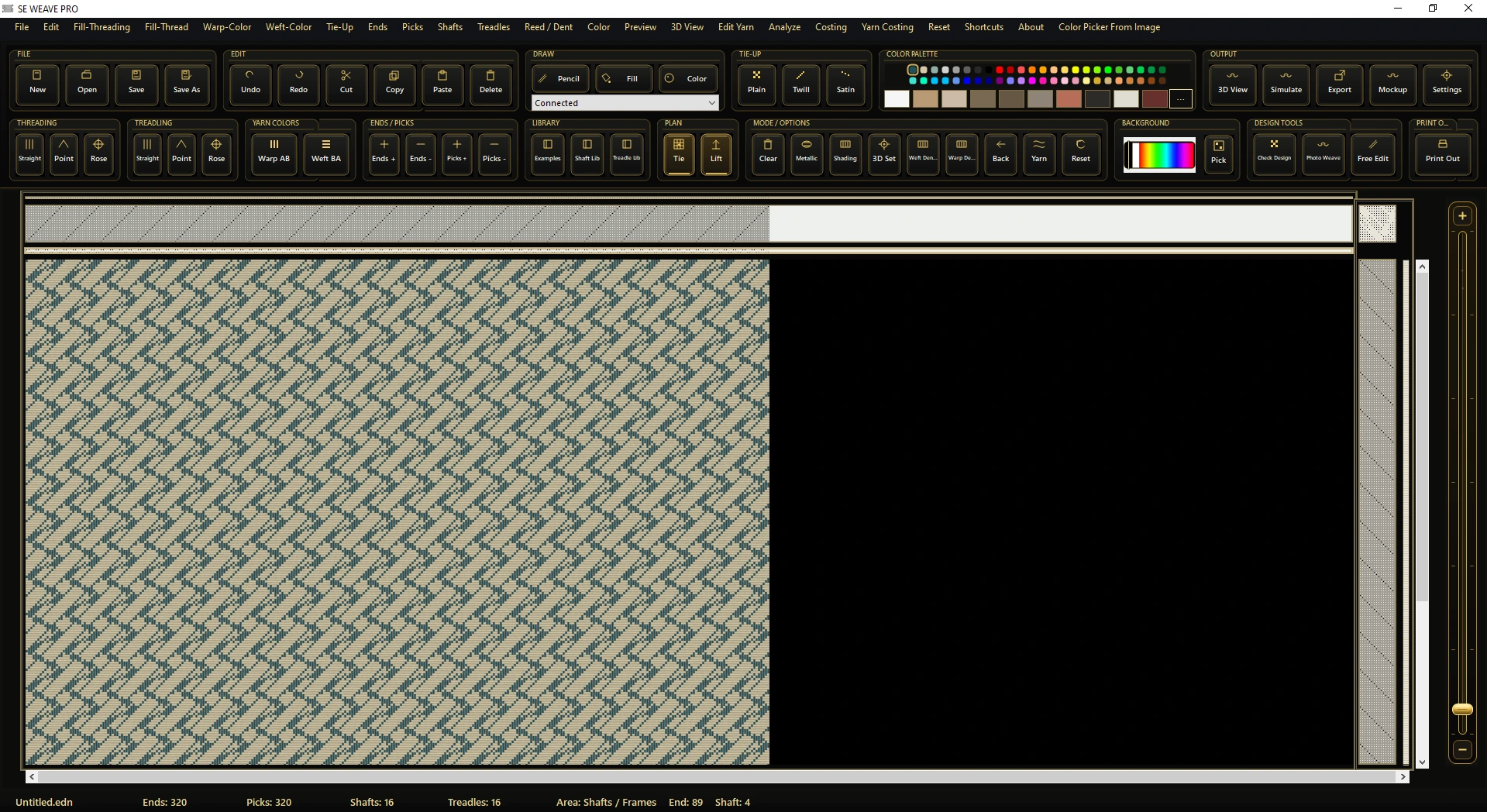
Weaving design software is a digital workspace for planning how warp and weft threads form a fabric. Depending on the application, it can include weave editing, colour arrangements, yarn appearance controls, fabric simulation and files used in a production workflow.
A design editor and a fabric viewer serve different purposes. The editor lets you change the plan; the viewer helps you inspect the result. In SE Weave Pro, the main editor is the design workspace and the separate viewer lets you load a design and review its fabric appearance.
When comparing tools, look at the information they let you control and the files your loom or controller actually accepts. An attractive preview is useful for design decisions; production compatibility needs a check with your real file and machine configuration.
Start with the weave structure and the colour arrangement. Use the design editor to create or revise the pattern before reviewing the cloth.
Adjust the visual character of the strand. SE Weave Pro’s Yarn Studio shows controls for style, colour, twist, fibres and finish.
Use a 2D view to inspect the design and a 3D view to look at the surface, yarn crossings and texture. Check changes at the whole-fabric and close-up levels.
Prepare binary lifting data or peg plans with a supported CAM profile. Confirm the output and USB/COM workflow using your sample file, programmer, card and controller configuration.
These tools have different workflows and modules. Use their official product information and a demonstration to assess your own requirements.
| Software | Published focus | Learn more |
|---|---|---|
| SE Weave ProUmarTronics · Pakistan | Weaving CAD/CAM editor, Yarn Studio, 2D/3D fabric previews, float-length checking and supported electronic dobby output. Developed in Karachi by Umar Sabir. | Product and demos |
| ArahWeaveArahne | Dobby and jacquard fabric design, simulation and loom-file workflows. | Official product |
| Pointcarre Weave Design & DobbyPointcarre | Check, stripe and dobby fabric design, simulation and production workflows. | Official product |
| NedGraphics DobbyNedGraphics | Tools for creating, simulating and preparing dobby woven textile designs. | Official product |
This guide is published by UmarTronics, the developer of SE Weave Pro. The list is a selection, not a ranking or a complete market catalogue. Other product descriptions are summarised from their official pages, checked on 2 October 2026.
SE Weave Pro is Windows 10/11 (64-bit) weaving CAD/CAM software created in Karachi, Pakistan, by Umar Sabir, known as UmarTronics. It combines the design editor, yarn controls, fabric previews, float-length checking and machine-data workflows.
The product page includes the main design editor, a fabric viewer, Yarn Studio, 2D and 3D preview examples, studio mockups and demonstrations from the official @UmarTronics YouTube channel.
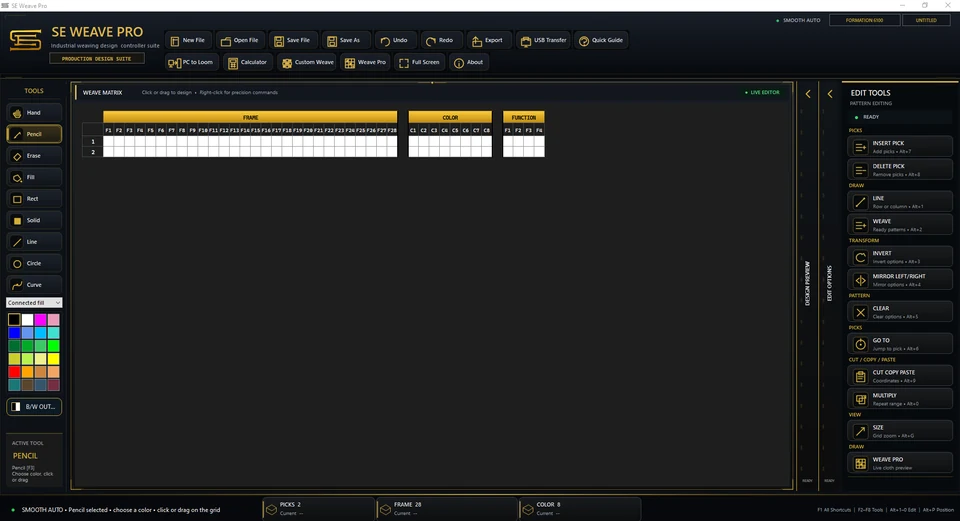
Screenshot supplied by the developer.
Bring a representative design to a demonstration. Check how the editor handles the structure, colours and revisions you need to make in daily work.
Look at both the full fabric and close detail. Confirm which yarn properties can be adjusted and how those changes appear in the preview.
Test your own files. The SE Weave Pro product page lists .xz, .heb, .lom, .db1, .bmp and .jc5 workflows; the selected operation and machine configuration determine compatibility.
Ask about the current release, licensing, Windows requirements and support before making a purchase decision. Use the UmarTronics contact page to request a SE Weave Pro demonstration.
Yes. SE Weave Pro is developed in Karachi, Pakistan, by Umar Sabir / UmarTronics. You can see its editor, viewer, Yarn Studio and fabric preview examples on the official product page.
A weave editor is used to build or change the design. A fabric simulation or viewer presents its appearance so you can inspect the colours, yarn crossings and surface before sampling.
File extensions are one part of the check. Test the selected import or export operation with your actual file and verify the loom model, controller and configuration with the software provider.
Visit the SE Weave Pro demonstrations or the official @UmarTronics channel. Contact UmarTronics to discuss a demonstration using your own design and file requirements.
Send a sample design, your file format and your loom or controller details to arrange a useful demonstration.