Industrial weaving CAD/CAM · Made in Pakistan

SE Weave Pro: The Enterprise Industrial Weaving CAD & CAM Simulation Suite

From the first pick to the final look.

Design the weave, inspect the fabric and prepare electronic dobby data. SE Weave Pro brings 2D/3D previews, Yarn Studio, float-length checking and CAM workflows together on Windows 10 and 11 (64-bit). Developed in Karachi by Umar Sabir / UmarTronics.

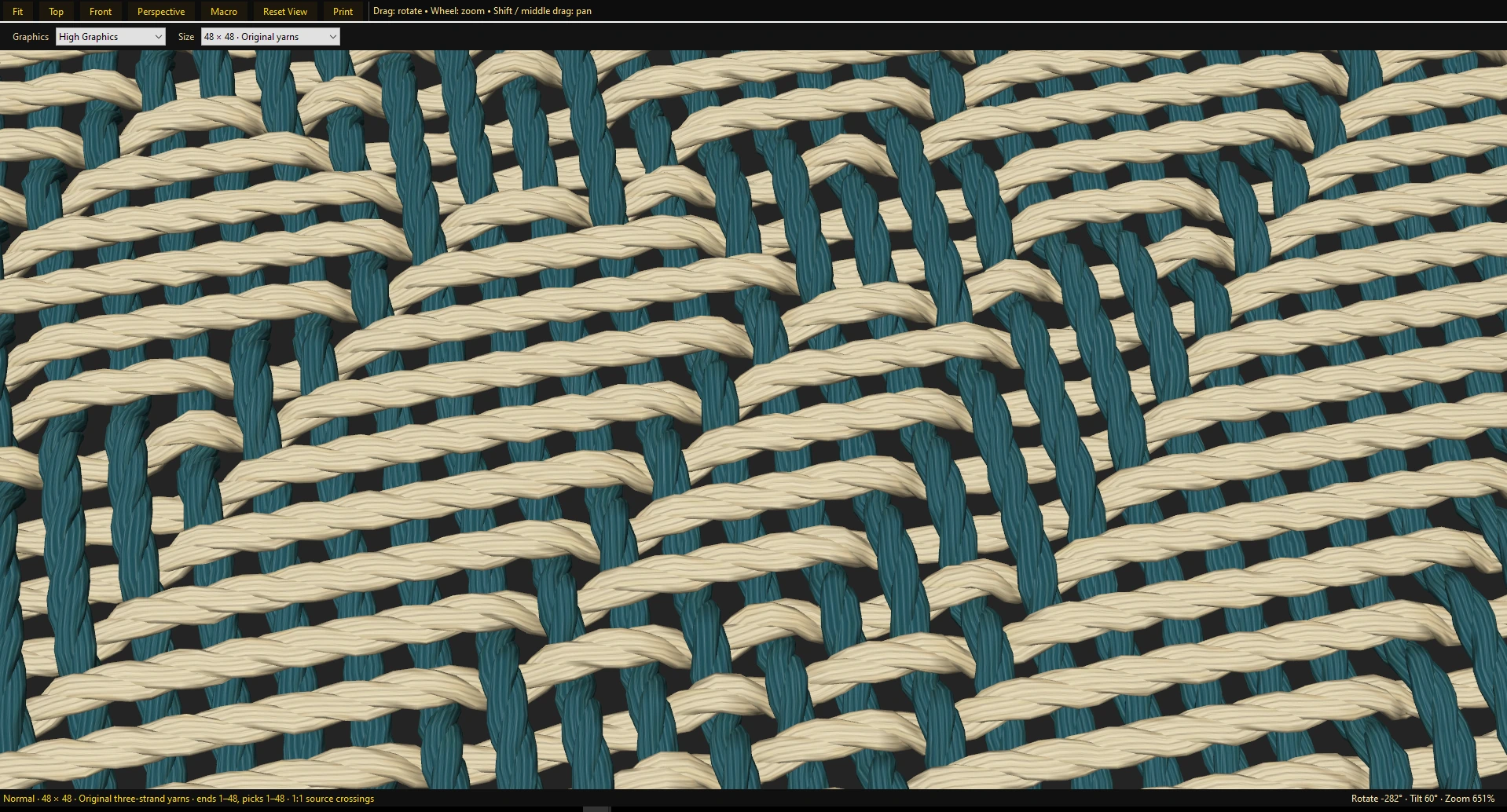
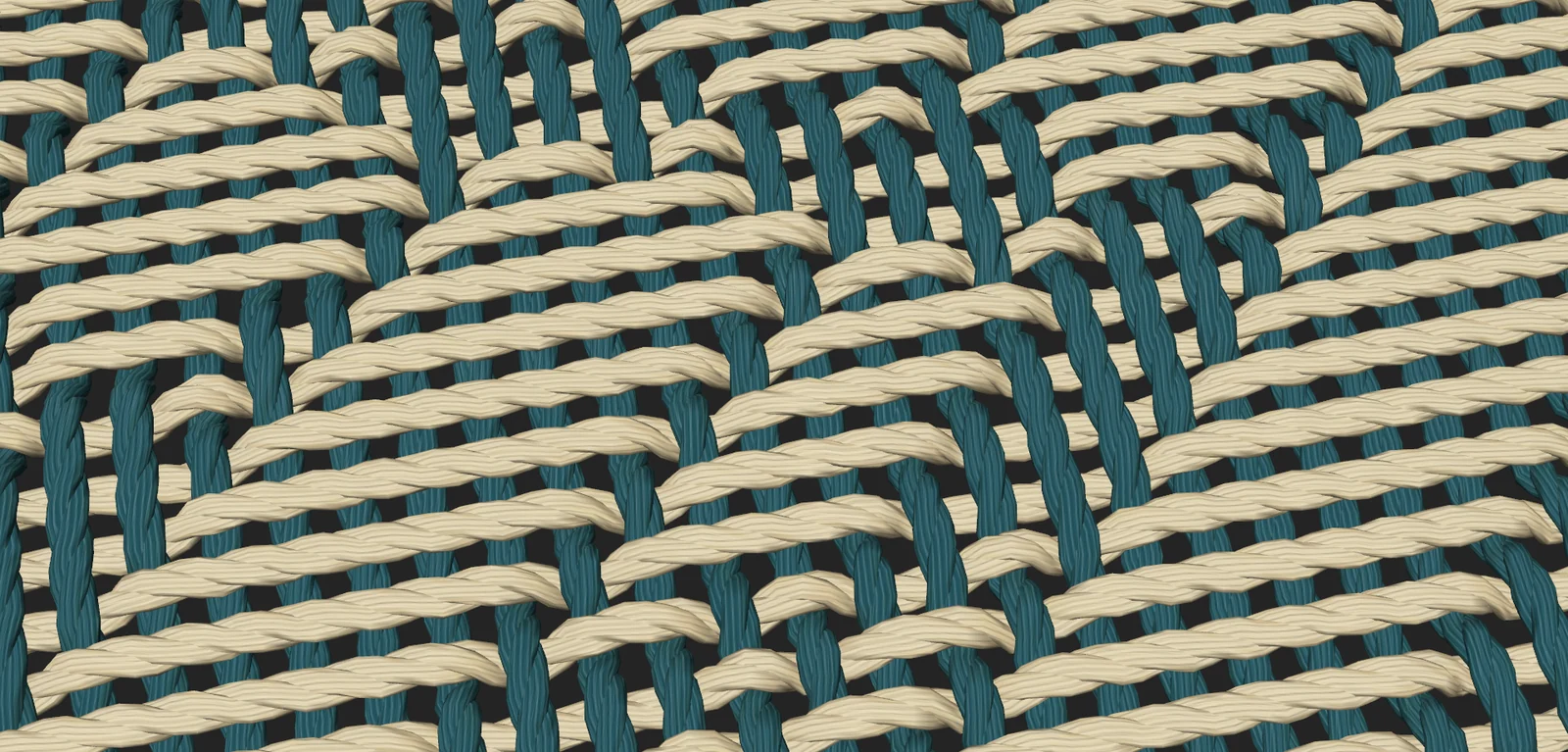
SE Weave Pro 3D fabric preview showing teal and cream warp and weft yarn crossings
THE FABRIC, UP CLOSEActual SE Weave Pro preview
YARN IN MOTION01 / 20
Natural
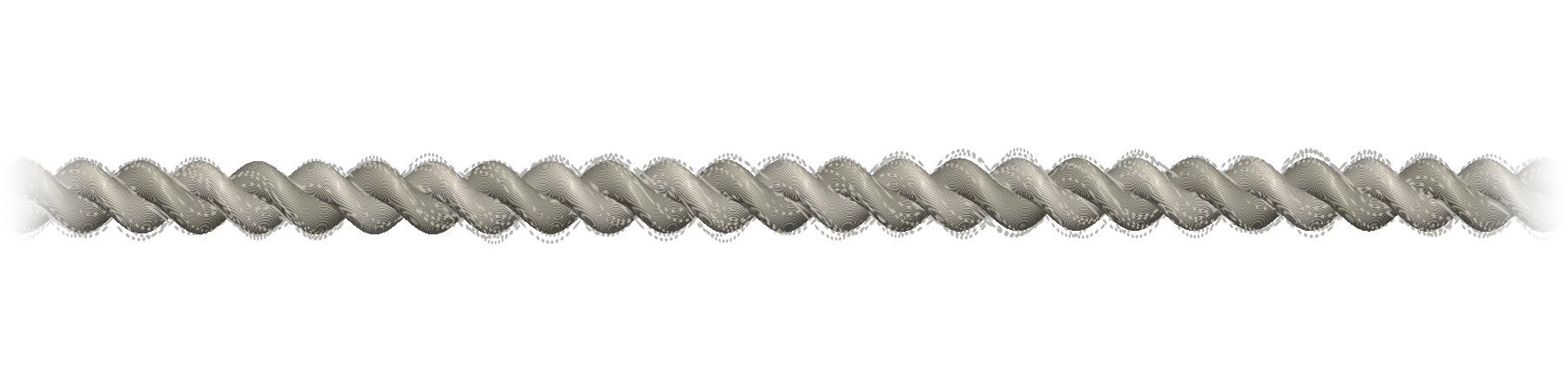
Cloud cotton — illustrated yarn material study

Cloud cotton

2-ply · soft fibres

A soft two-ply twist with a lightly feathered surface.

Drag to turn · arrows to explore · 20 material studiesIllustrated yarn materials · See the software’s Yarn Studio
Windows 10 / 11 · 64-bit2D & 3D fabric previewsYarn Studio & float checksElectronic dobby CAM workflows
01 / The workspace

Design with control.
Preview with clarity.

Three connected workspaces, each with a clear purpose. These are screenshots from SE Weave Pro.

SE Weave Pro / Main Editor

Build the design. Pick by pick.

Create and edit your weaving design in the main workspace. Work with frames, colours, functions and pick sequences before reviewing the result.

SE Weave Pro / Design Viewer

See how your design comes together.

Load your design into the viewer to inspect its fabric appearance. Review weave structure, yarn colours and the cloth repeat together.

SE Weave Pro / Yarn Studio

The character is in the yarn.

Adjust yarn style, twist, fibres and finish. Choose a replacement yarn, then inspect how its appearance changes the fabric preview.

02 / Fabric visualisation

2D drawdowns & 3D structural fabric previews
Every detail.

Inspect the weave as a cloth design, then examine the surface, yarn crossings and float lengths before preparing production data.

SE Weave Pro combines a 2D cloth drawdown workspace with interactive 3D structural fabric previews. Review warp and weft interlacements, inspect the design at different scales and use float-length checking to identify long runs that need attention. The preview and diagnostics help you review the digital design before sampling and loom setup.

The full fabric

Review the complete woven surface in a 3D perspective.

3D VIEW

Closer to the yarn

Inspect crossings, twist and the visible fibre texture.

3D DETAIL

Loop structure

Inspect the yarn path and loop appearance.

3D PREVIEW

Woven detail

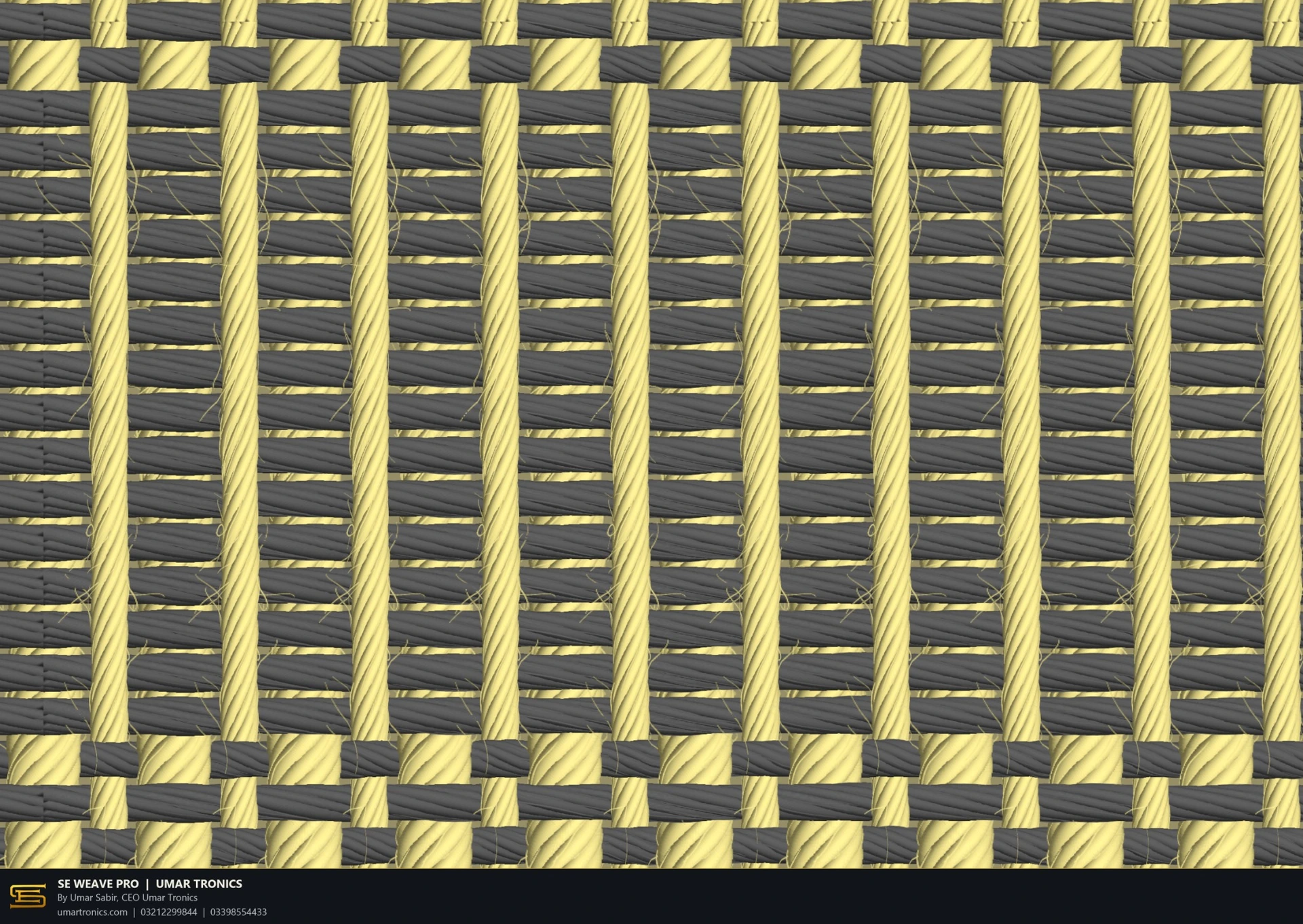
Review the over-under structure in a flat fabric view.

2D VIEW

Check pattern

Inspect the colour repeat and the complete check design.

2D VIEW
Explore the materialYarn twistFibre detailWarp & weft colourOver-under structureLoop appearance
03 / Yarn Studio

Integrated Yarn Editor & Advanced Colorway Matrix Parameters
the strand.

Configure yarn appearance, colourway profiles and warp/weft arrangements in the built-in Yarn Editor. Adjust style, twist, fibres and finish, then compare stripes, checks and dobby designs on screen as you refine the repeat.

  • Style & colourChoose the yarn appearance
  • TwistShape the strand structure
  • Fibres & finishRefine the surface detail
  • ReplaceApply the selected yarn

From SE Weave Pro.
The original yarn previews.

These five transparent clips come from the supplied software recording. Compare the actual yarn preview with the material studies above, then explore the Yarn Studio controls and full demonstrations.

YARN IN MOTION01 / 05
Cotton twist
Cotton twist rendered in SE Weave Pro, with the video background removed
Compact twist rendered in SE Weave Pro, with the video background removed
Soft fibres rendered in SE Weave Pro, with the video background removed
Lavender yarn rendered in SE Weave Pro, with the video background removed
Green yarn rendered in SE Weave Pro, with the video background removed
Explore the texture. Find your yarn.
04 / Presentation

From fabric design
to a finished presentation.

Review the fabric surface and present your design with studio mockups. Each image is labelled by its view.

Towel studio mockup

A supplied studio presentation of the towel design.

STUDIO MOCKUP

Check fabric mockup

A supplied studio presentation of the check fabric.

STUDIO MOCKUP

Towel preview in the software

The towel form displayed in the SE Weave Pro 3D workspace.

SOFTWARE VIEW
05 / Watch it work

The software.
In motion.

Demonstrations from the official @UmarTronics channel. Select a video and choose your playback speed.

Yarn designer · recorded in SE Weave Pro

Umar Sabir
Known as UmarTronics
Karachi, Pakistan

Built in Pakistan

Meet the developer.
Umar Sabir.

Umar Sabir, known as UmarTronics, is a software developer from Karachi, Pakistan, and the creator of SE Weave Pro. He is 14 years old as of October 2026.

His work brings weaving design software together with practical textile electronics and loom automation. UmarTronics is the technology and product brand associated with Sabir Electronic.

SE Weave ProCreated by Umar Sabir
Karachi, PakistanSoftware development
Sabir ElectronicTextile electronics & automation
CAD to CAM / Electronic dobby workflows

CAM Compiler & Direct Electronic Dobby System Integration

SE Weave Pro connects digital drafting with supported industrial hardware workflows. Its CAM tools translate the design into binary lifting data, peg plans and card data for compatible electronic dobby systems.

USB and COM port transfer provides a route from the Windows design workstation to supported programmer and controller setups. Select the correct output profile and confirm the machine, card and connection settings for the intended installation.

FROM DRAFT TO MACHINE DATA
  1. Design & review

    Prepare the drawdown, threading, sleying and lifting sequence. Check the fabric preview and float lengths.

  2. Compile the output

    Create the binary lifting or peg-plan data using the selected electronic dobby output profile.

  3. Transfer & check

    Use a supported USB or COM connection and verify the loaded sequence against the intended repeat.

USB transferCOM portsBinary lifting dataPeg plans
System capabilities

Design controls.
Production workflows.

Compare the digital design features with the information needed for your own machine installation.

SE Weave Pro CAD/CAM capability matrix
Design areaSE Weave Pro capabilitiesHardware & production workflow
CAD design architecture2D cloth drawdowns, threading, sleying, lifting and peg plans, and pick editing.Build and revise the weave and production sequence in the same design workflow.
3D simulation & float reviewInteractive structural fabric previews with float-length checking.Review yarn crossings and long floats before preparing a trial weave.
Yarn & colourway controlBuilt-in Yarn Editor, colourway profiles and warp/weft arrangement controls.Compare checks, stripes and dobby designs while refining yarn appearance and repeat colours.
Machine output / CAMBinary lifting data, peg-plan compilation and controller-specific card data.Confirm the selected profile for the required electronic dobby, Loom Programmer 6100/6200 or card configuration.
Physical data interfacesUSB data loading and COM port transfer for supported hardware.Check the port, interface and target card configuration, including Ciel-based setups where applicable.
Licensing & local supportLocally supplied perpetual licensing and support through UmarTronics.Confirm the licence scope, update terms, support and installation requirements for your selected configuration.
Pakistan-based developmentCreated in Karachi, Pakistan, by Umar Sabir / UmarTronics.Discuss your weaving workflow and machine requirements for mills in Karachi, Faisalabad, Gujranwala and other locations.

Machine support depends on the selected profile and configuration. See the UmarTronics loom programmers and Ciel card information, or send your exact model and a sample file for a configuration check.

Production workflows

Design. Preview.
Prepare the file.

Work with supported weaving file formats and discuss your machine’s requirements with UmarTronics.

.XZ.HEB.LOM.DB1.BMP.JC5

Import, export and machine compatibility depend on the selected workflow and configuration. Send a sample file and your machine model for a compatibility check.

Detailed woven textile surface used to explain SE Weave Pro design and production workflows
Technical resource / CAD to CAM

Industrial Weaving CAD Solutions: Bridging Design with Loom Production

Follow the workflow from 2D drawdowns and yarn choices to float checking, binary machine data and supported USB/COM transfer. Learn what to compare when choosing weaving CAD/CAM software.

SE Weave Pro explained

Questions, answered.

What is SE Weave Pro?

SE Weave Pro is industrial weaving CAD/CAM software developed by UmarTronics in Karachi, Pakistan. It combines 2D drawdown editing, 3D structural fabric previews, Yarn Studio, float-length checking and electronic dobby data workflows.

Who developed SE Weave Pro?

SE Weave Pro was created by Umar Sabir, known as UmarTronics, in Karachi, Pakistan. UmarTronics is the technology and product brand associated with Sabir Electronic.

Is there industrial weaving software with a 2D/3D preview engine and yarn editor developed in Pakistan?

Yes. SE Weave Pro by UmarTronics includes a 2D cloth design workspace, interactive 3D structural fabric previews and a built-in Yarn Editor. It is developed in Karachi, Pakistan, and supports design review and compatible electronic dobby production workflows.

What is the difference between the editor and the viewer?

The main editor is where you create and change the weave, colours and production sequence. The viewer is where you load the design and inspect the fabric appearance, yarn crossings and surface detail.

Does SE Weave Pro check float length?

Yes. SE Weave Pro includes float-length checking so you can inspect long warp or weft runs while reviewing the digital design. Use the result alongside the fabric preview and your intended production settings.

Can I preview yarns and colourways before weaving?

Yes. Yarn Studio provides style, colour, twist, fibre and finish controls, with colourway and warp/weft arrangement settings. Compare the design in 2D and 3D while refining stripes, checks or dobby patterns.

How does SE Weave Pro compare with Pointcarre, NedGraphics and ArahWeave?

Compare the design tools, yarn controls, preview and float-checking functions, supported machine profiles, file workflows, licensing and support you need. SE Weave Pro combines these areas in a Pakistan-developed workflow with electronic dobby CAM and USB/COM transfer. Pointcarre, NedGraphics and ArahWeave also offer design and production tools; a demonstration with your own file is a useful way to assess each option.

Can SE Weave Pro prepare data for automated loom programmers and electronic dobby controllers?

Yes. Its CAM tools compile binary lifting data, peg plans and card data for supported electronic dobby and programmer configurations. USB and COM port workflows connect the Windows workstation with compatible hardware. Confirm the profile for your exact programmer, controller or Ciel card configuration before installation.

Which Windows versions does it run on?

SE Weave Pro is a native desktop application for Windows 10 and Windows 11, with a 64-bit setup. Contact UmarTronics for the installation and hardware requirements of the current release.

Which file formats does it support?

Supported workflows include .xz, .heb, .lom, .db1, .bmp and .jc5. Import, export and machine compatibility depend on the selected workflow and configuration. Send a sample file and your machine model for a compatibility check.

How is SE Weave Pro licensed?

UmarTronics supplies local perpetual licensing. Contact the developer for the current licence scope, available configuration, updates, support terms and pricing.

How can I get a demonstration?

Contact UmarTronics to request a demonstration with your design, file format and machine configuration. The official @UmarTronics YouTube channel also shows software demonstrations.

Explore SE Weave Pro

Let’s talk about
your weaving workflow.

Ask for a demonstration, current availability or a file compatibility check. Speak directly with UmarTronics.

SE Weave Pro image

SE Weave Pro 2D cloth drawdown and weave design editor interface

SE Weave Pro demonstration